


FRR delivery across needle combinations#
This example demonstrates how the frr_mip_flag can be used to avoid FRR-delivery in forbidden zones for Pelton generators. General modeling of pelton units and forbidden zones is explained in the pelton units and forbidden zones example. This example demonstrates the functionality for FRR-up reserves, but the functionality can be used for FRR-down reserves as well.
The model setup for this example is available in the following format:
pyshop
#Necessary imports
from pyshop import ShopSession

#Functions used in this example for building a SHOP model, running it, and plotting the results
from forbidden_zone_pelton import build_model, run_model, plot_production_and_frr_delivery
Create SHOP session and import basic model#
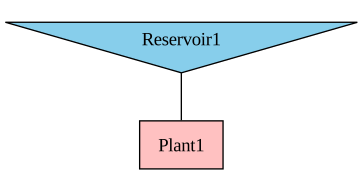
Our example model has a pelton generator with two needle_combinations. The first needle combination has a minimum production of 5 MW, and a maximum production of 20 MW. The second needle combination must produce between 25 MW and 40 MW. This means that there is a forbidden zone between 20 MW and 25 MW.
#Create a standard ShopSession
shop=ShopSession()
#Build SHOP model
build_model(shop)
#Display topology to the screen
display(shop.model.build_connection_tree())

# Get needle combination production limits
p1min = shop.model.needle_combination.N1.p_min.get()
p1max = shop.model.needle_combination.N1.p_max.get()
p2min = shop.model.needle_combination.N2.p_min.get()
p2max = shop.model.needle_combination.N2.p_max.get()
Add FRR up requirement#
We start by adding a reserve obligation for FRR up, run the model, and plot the resulting production and reserve delivery. The default behaviour is that the reserves must be delivered by the current running needle combination.
#Add reserve group
RG = shop.model.reserve_group.add_object('RG')

# #Add reserve obligation
RG.frr_up_obligation.set(10)

# Connect the generator to the reserve group
gen = shop.model.generator.pelton
gen.connect_to(RG)

# Run model
run_model(shop)

# Get the generator production and frr up delivery
p = gen.production.get()
frr = gen.frr_up_delivery.get()

# Plot results
plot_production_and_frr_delivery(p,frr, p1min, p1max, p2min, p2max)
/opt/conda/lib/python3.13/site-packages/kaleido/_sync_server.py:11: UserWarning:


Warning: You have Plotly version 5.24.0, which is not compatible with this version of Kaleido (1.5.0).

This means that static image generation (e.g. `fig.write_image()`) will not work.

Please upgrade Plotly to version 6.1.1 or greater, or downgrade Kaleido to version 0.2.1.

You can however, use the Kaleido API directly which will work with your plotly version. `kaleido.write_fig(...)`, for example. Please see the kaleido documentation.
Allow FRR delivery in forbidden zone#
We now set the attribute p_frr_max to the maximum production of the second needle combination. This means that the model can deliver reserves up to this limit for both needle combinations. Consequently, the reserves can be delivered in the forbidden zone.
# Create a standard ShopSession
shop2=ShopSession()

# Build SHOP model
build_model(shop2)

# Add reserve group
RG = shop2.model.reserve_group.add_object('RG')

# Add reserve obligation
RG.frr_up_obligation.set(10)

# Connect the generator to the reserve group
gen = shop2.model.generator.pelton
gen.connect_to(RG)

# Set the maximum limit for production + frr up delivery
gen.p_frr_max.set(p2max)

# Run model
run_model(shop2)

# Get the generator production and frr up delivery
p = gen.production.get()
frr = gen.frr_up_delivery.get()

# Plot the results
plot_production_and_frr_delivery(p,frr, p1min, p1max, p2min, p2max)
With FRR requirement across needle combinations, avoiding the forbidden zone#
By setting the attribute frr_mip_flag to 1, we allow reserve delivery across needle combinations, but the model is forced to avoid the forbidden zone. Note that if the frr_mip_flag is active, the p_frr_max limit will be ignored.
# Create a standard ShopSession
shop3=ShopSession()

# Build SHOP model
build_model(shop3)

# Add reserve group
RG = shop3.model.reserve_group.add_object('RG')

# Add reserve obligation
RG.frr_up_obligation.set(10)

# Connect the generator to the reserve group
gen = shop3.model.generator.pelton
gen.connect_to(RG)

# Turn on FRR MIP flag to avoid forbidden zones
gen.frr_mip_flag.set(1)

# Run model
run_model(shop3)

# Get the generator production and frr up delivery
p = gen.production.get()
frr = gen.frr_up_delivery.get()

# Plot the results
plot_production_and_frr_delivery(p,frr, p1min, p1max, p2min, p2max)
Binary variable options#
The constraints for avoiding the forbidden zone can be turned on by setting the generator frr_mip_flag to 1. Alternatively, the constraints can be turned on for all generators by turning on frr_mip on the global_settings object. This setting is overruled by the individual generator frr_mip_flags.
If universal mip is turned off, frr mip will be turned off for all generators. This applies also if the generator frr_mip_flag is active.
The default setting is to use binary variables for the constraints in incremental iterations. The binary variables can be turned off for incremental iterations through the binary_reserve_limits attribute on the global_settings object. However, this is not recommended, as not using binary variables might cause unwanted behaviour.